Three tools, one handle, and the numbers that actually fit it.
- 1
Stitch math
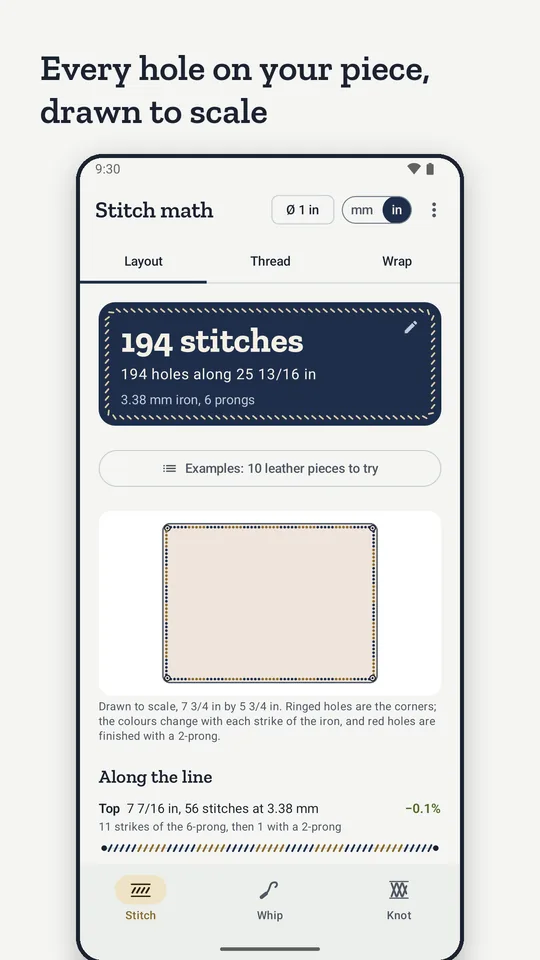
Pricking iron spacing in mm or SPI, a hole layout that lands a hole on every corner, how to walk a multi-prong iron, and saddle-stitch thread length.
- 2
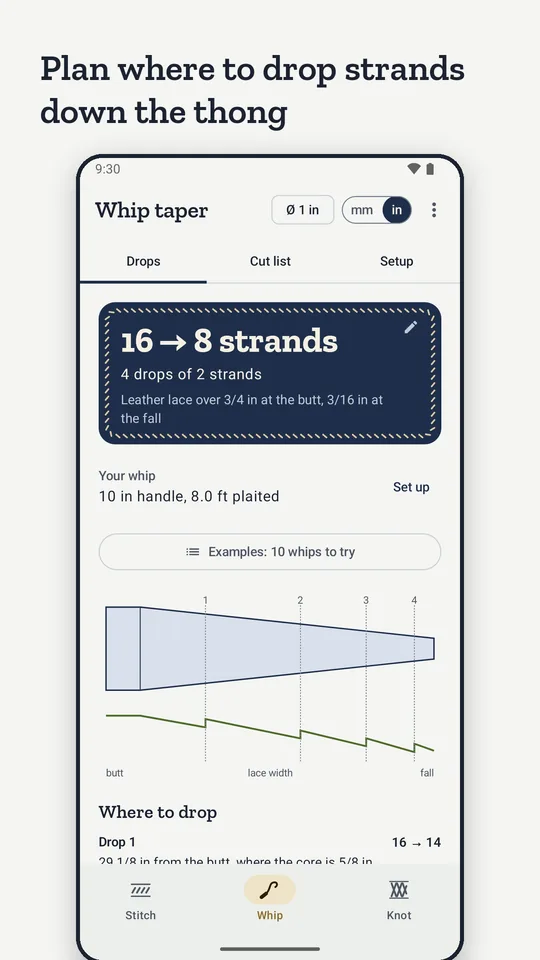
Whip taper
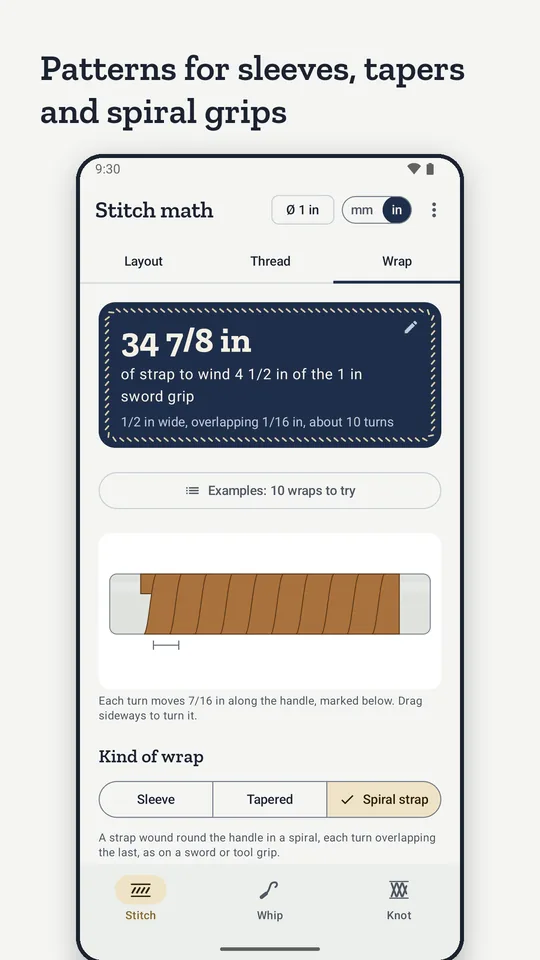
Strand drops for leather lace or paracord: where to drop each pair, lace width along the thong, a taper chart, and how much to cut.
- 3
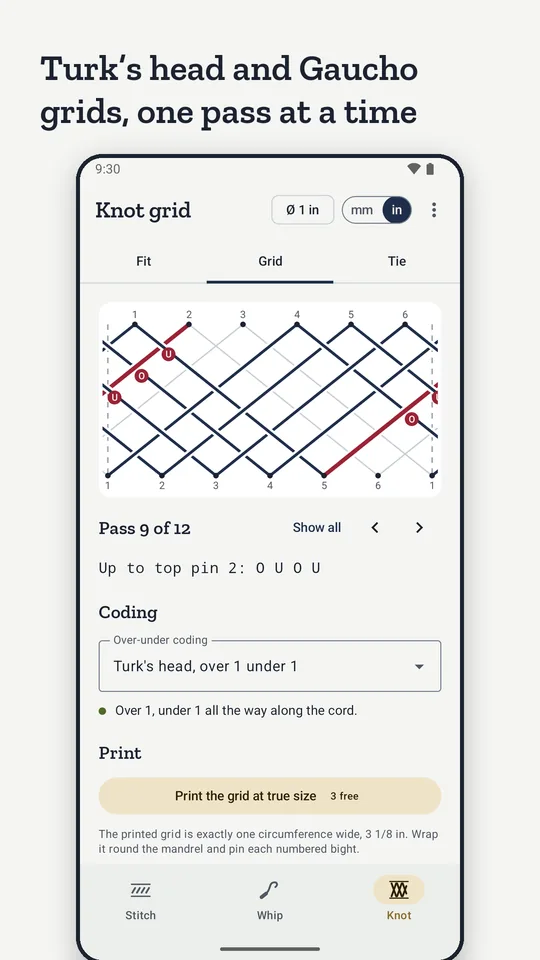
Knot grid
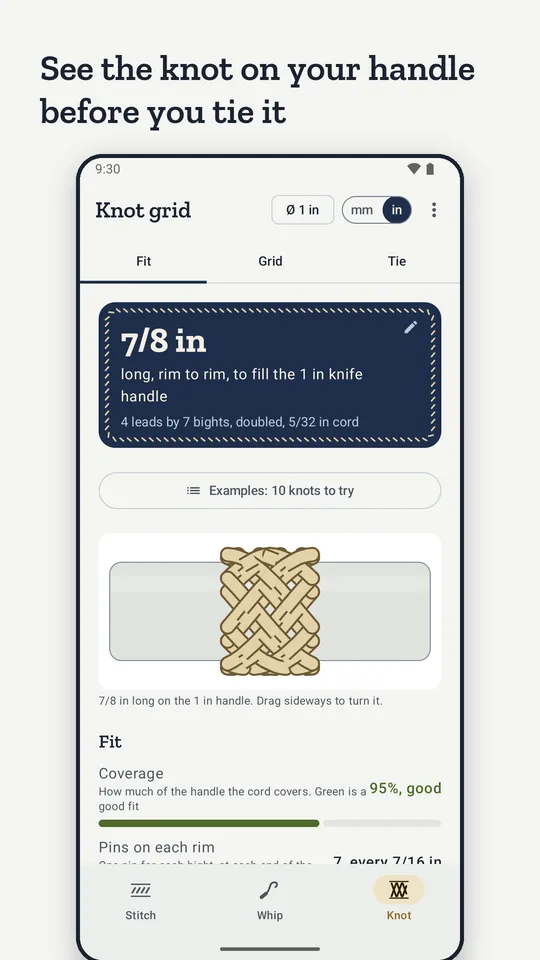
Turk's head and Gaucho knots by leads and bights, with the length that fills the mandrel, coverage, strand angle and cord to cut.
What it looks like in use.
The parts that took the longest.
- Ruler arithmeticFractions to the nearest 1/16, or 1/32 under half an inch, so 550 paracord reads as 5/32 in. Fields take decimals or fractions and show the ruler reading of what was typed.
- Answer firstEach tool leads with its answer on a stitched tag; the inputs follow, and the reasoning folds away under “How this is worked out”.
- Honest defaultsUntil a tool's numbers are changed, its answers say plainly that they come from example numbers.
- One layer to the nextA finished whip layer becomes the core of the next one in a single tap, and the handle diameter carries into the knot tool.
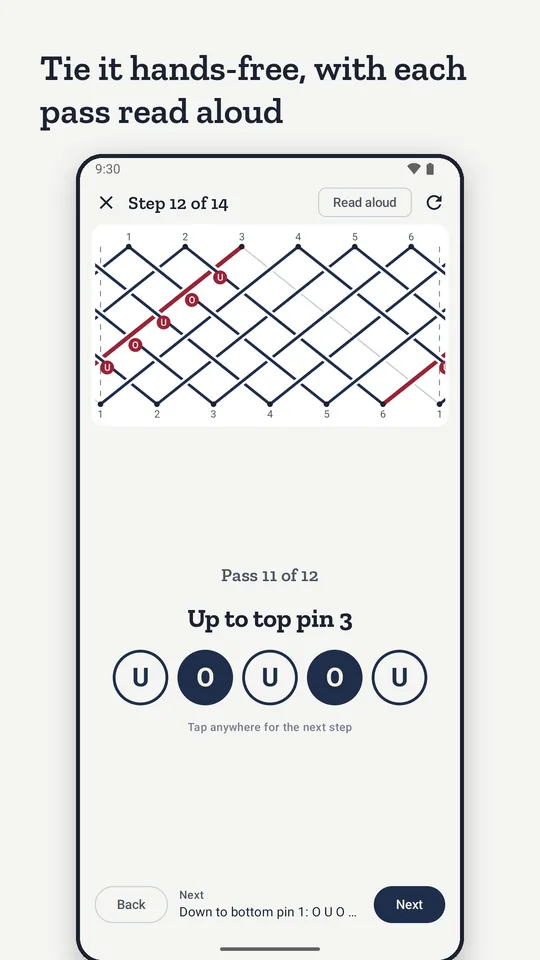
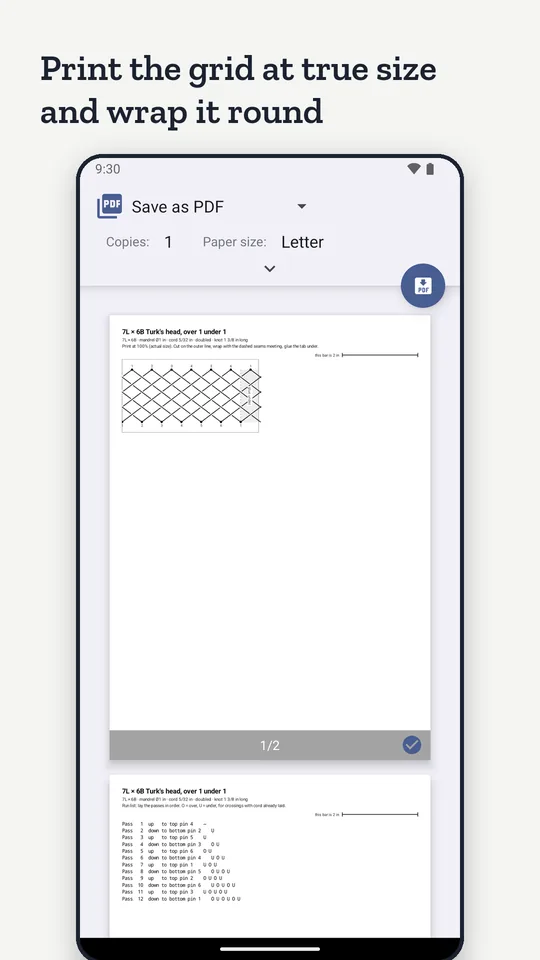
- Free, with ProThe app is free to download. Pro is a one-time US $6.99 purchase and unlocks hands-free tying, printing at true size, and sharing without the “Made with Mandrel Bench” line — with the first three print jobs and the first three knots free, so the tools can be tried on a real piece first.
- Reading the gridWhere a cord passes under, the break in it is wider, so over and under can be told apart at a glance; on a dense knot the break stays small enough that the cord underneath still shows. Picking a new coding rings the crossings it changes for a couple of seconds, so you can see what moved.
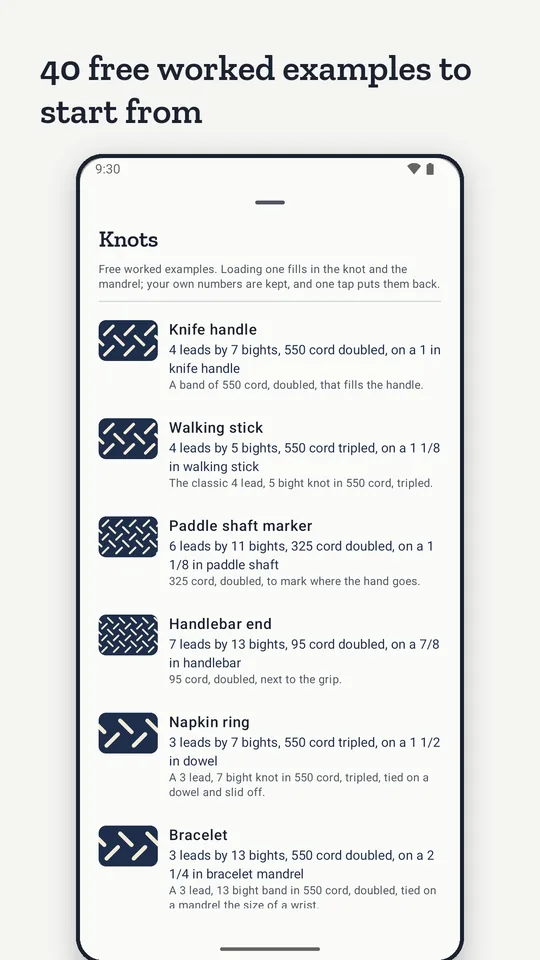
- Somewhere to startForty worked examples load real numbers into a tool — a knife handle, a walking stick, a bracelet mandrel — and one tap puts your own back. Five over-under codings are built in: a plain Turk’s head, a Gaucho over two under two, and three herringbone codings, one of them with locked edges.
Made to be used at the bench.
Both hands are on the cord and the phone is somewhere on the bench. Every setting here is free, under Accessibility in the menu.
- Theme and textPhone setting by default, or pin it Light or Dark. Large text follows the phone too, and rows stack rather than cut off, so a page still fits at the largest size.
- Symbols on colorsOff until you turn it on. Shapes go on the stitch holes wherever color marks the iron’s strikes, a number goes on each cord of the knot grid, and every status dot gets a mark.
- MagnifierOn by default. Touch and hold a drawing or the knot grid and a loupe above your finger shows it about 2.5 times larger.
- Voice commandsOff until you turn them on, and the app asks for the microphone only then. Say next, back, repeat, start over, “step” and a number, help, close or stop. Speech is recognized on the phone, nothing is recorded or sent, and the app still asks for no internet permission. On a phone that could only recognize speech by sending it away, voice commands stay off.
- Hands-free, without ProHands-free tying is otherwise a Pro tool. It is free whenever voice commands are turned on.
Where it stands. 1.0.12 is built, signed and in closed testing on Google Play as com.jdcapone.mandrelworkshop, ahead of a public release. It was called Mandrel Workshop until October 2026, when it took the Bench name its sibling apps use; the Play id keeps the original spelling, as Play ids are permanent. Privacy policy.