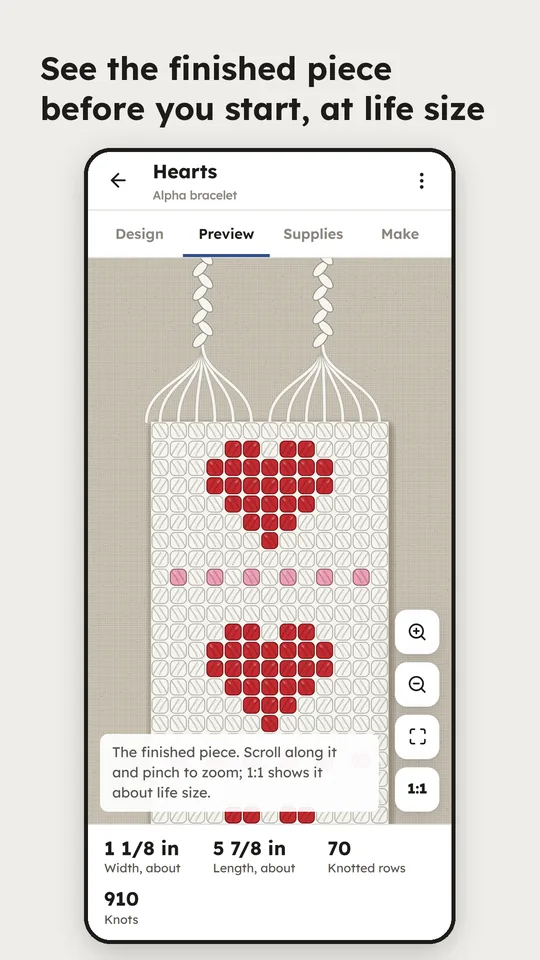
The same four steps, whether you are threading cards or counting Aida.
- 1
Design
Draw on the craft's own grid. The canvas underneath is shared, so the tools behave identically everywhere.
- 2
Preview
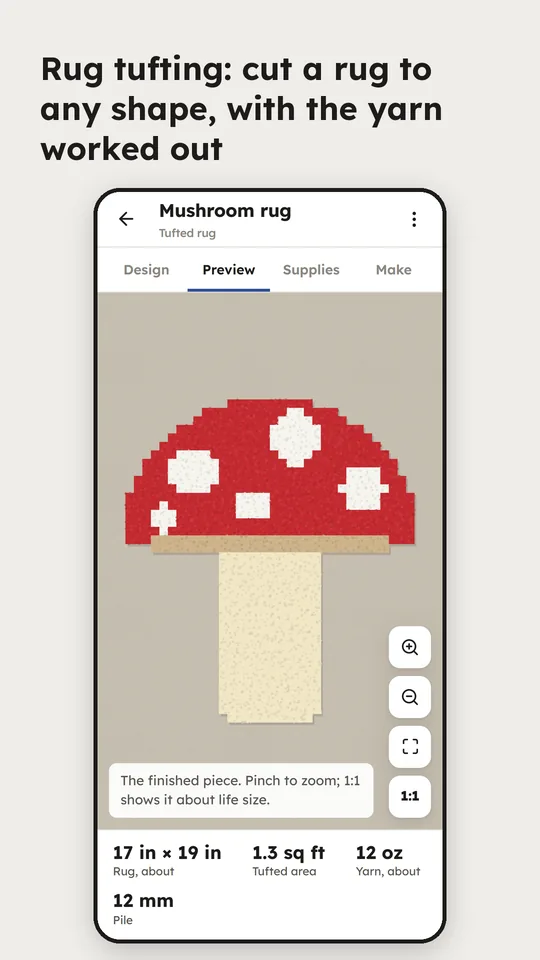
The piece lying on a table: twist in the yarn, weft turning at the edges, knotted fringe, seam ridges, bare canvas.
- 3
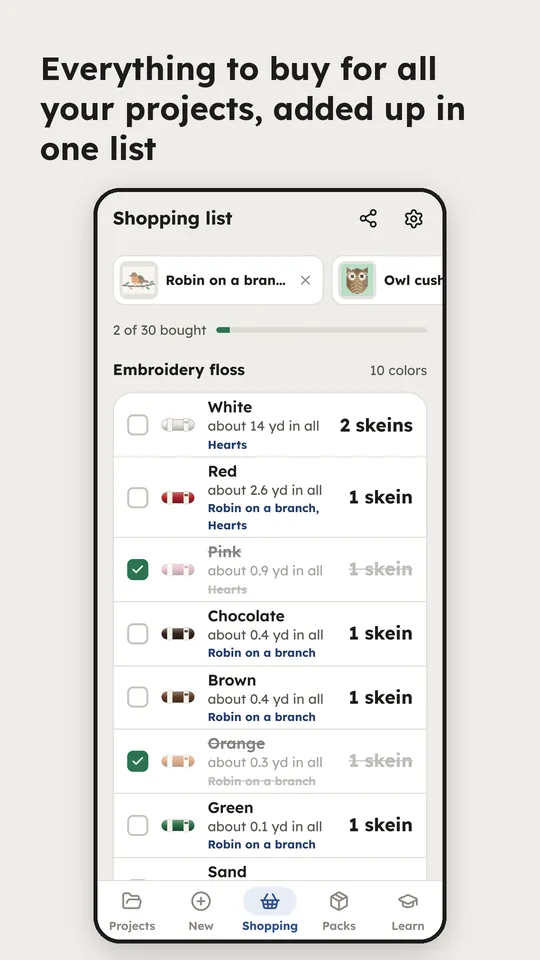
Supplies
For the woven bands, yarn per colour with take-up and loom waste, checked against the loom's capacity. Every other craft gets its own: cord lengths for Cavandoli, fabric and strip sets for quilts, and yarn, floss or thread per colour.
- 4
Work it
One pick, row or column at a time, whichever the craft works in, with the turning sequence or the knots for every line.
What it looks like in use.
The parts that took the longest.
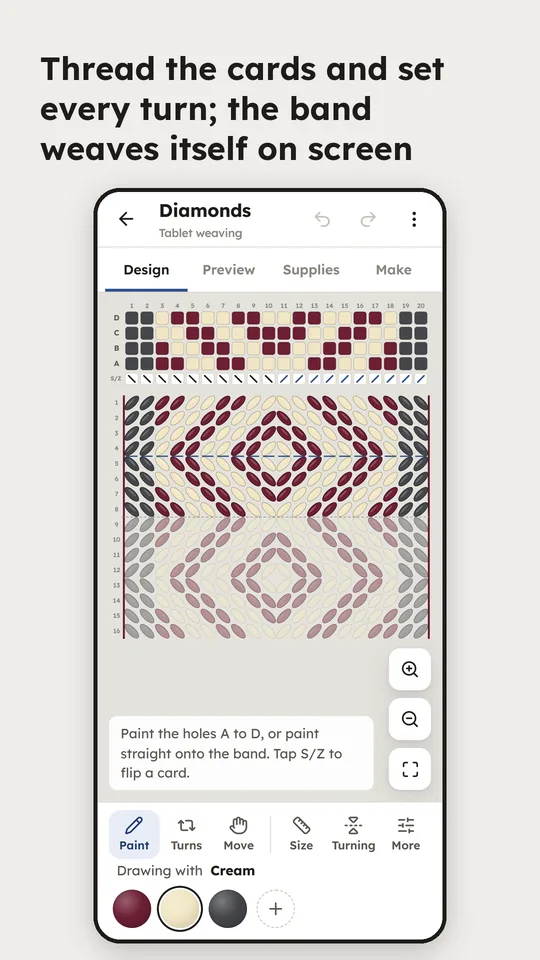
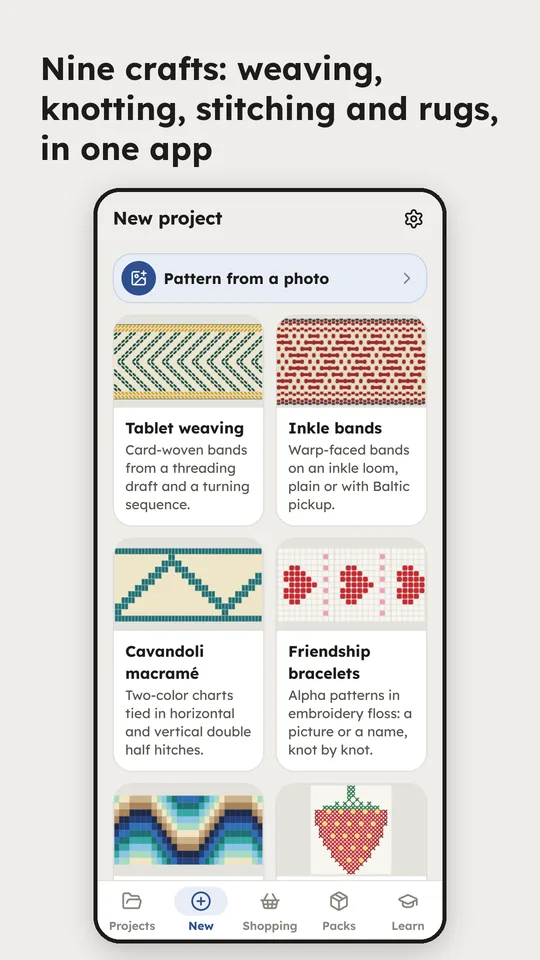
- A draft, not one grid for everythingThe woven bands come off a threading draft, Bargello follows a wave curve drawn by dragging, and the counted crafts — cross-stitch, filet, latch hook and tufting — share one chart editor. Each craft gets the structure it is actually worked from, not a picture of one.
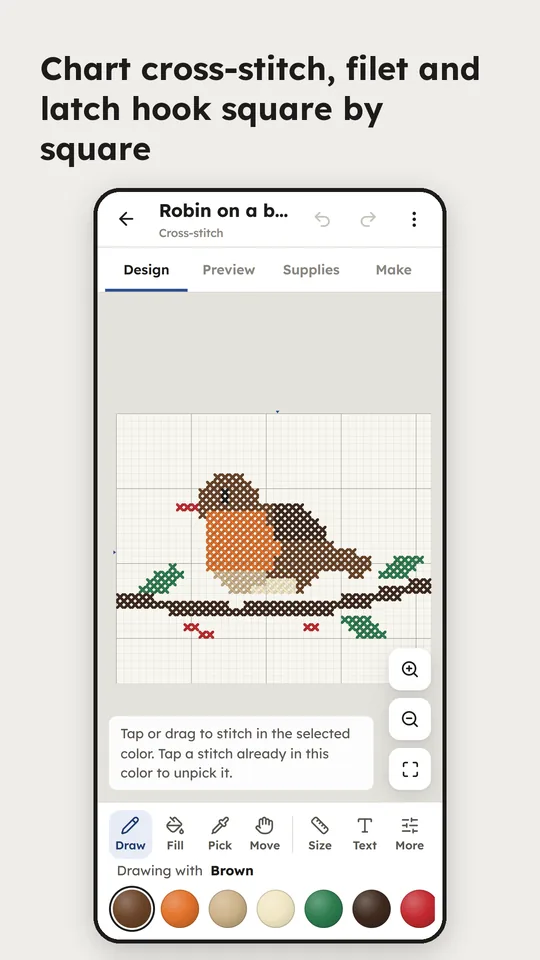
- Counted craftsCross-stitch on 11 to 18 count Aida with skeins per colour and the fabric to cut; filet crochet with the foundation chain and every row's blocks and spaces in working order. Latch-hook and needlepoint charts print at true canvas size, with a big chart split across sheets.
- Double-faceThreads every card two dark, two light; you paint the picture and the turns are worked out for you. Typing a name instead goes through the Text tool, which is one of the Pro features.
- Life sizeA 1:1 button shows the piece at about its real size before you commit yarn to it.
- Starting outA first-time tour, a beginner's guide for every craft, and 165 worked examples to open and change rather than start from an empty grid.
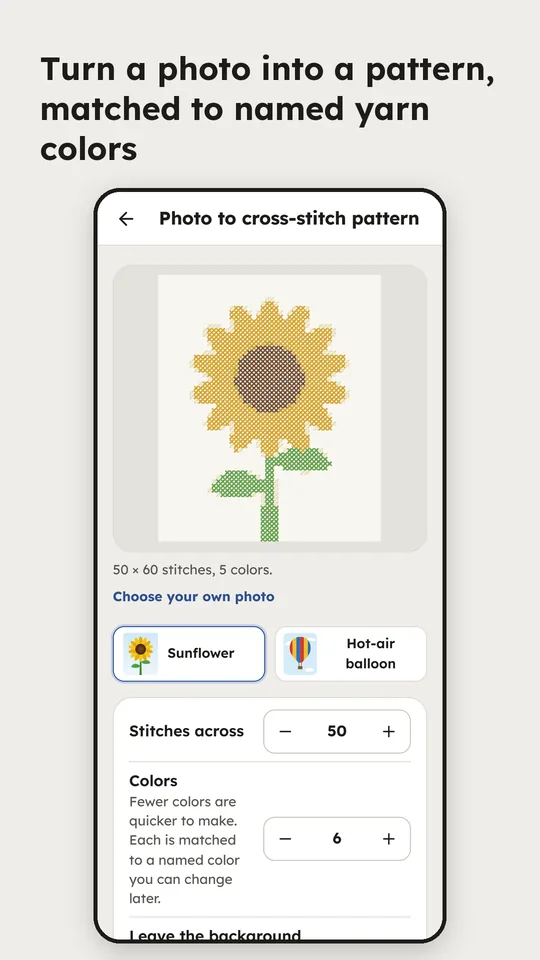
- Photo to patternA picture becomes a chart for cross-stitch, latch hook, tufted rugs, alpha bracelets, filet crochet or Cavandoli — the crafts where a photograph actually reads once it is reduced to a grid.
- Free, with ProThe app is free, sharing included. A one-time Pro purchase unlocks printing, hands-free mode, photo to pattern, the text tool and mirror drawing, drops the “Made with Fiber Bench” line from shares, and adds the Designer collection: 110 showpiece patterns, about ten for every kind of project, fuller and more finished than the free examples — Japanese waves and hemp-leaf stars, ferns and monstera, mountain lakes at dusk, indigo shibori, ombré Bargello. Each Pro feature works three times free first, twice for your own photos, and one Designer pattern is free to try.
Where it stands. 0.5.5 is built, signed and in closed testing on Google Play as com.jdcap.fiberbench, ahead of a public release. Privacy policy.