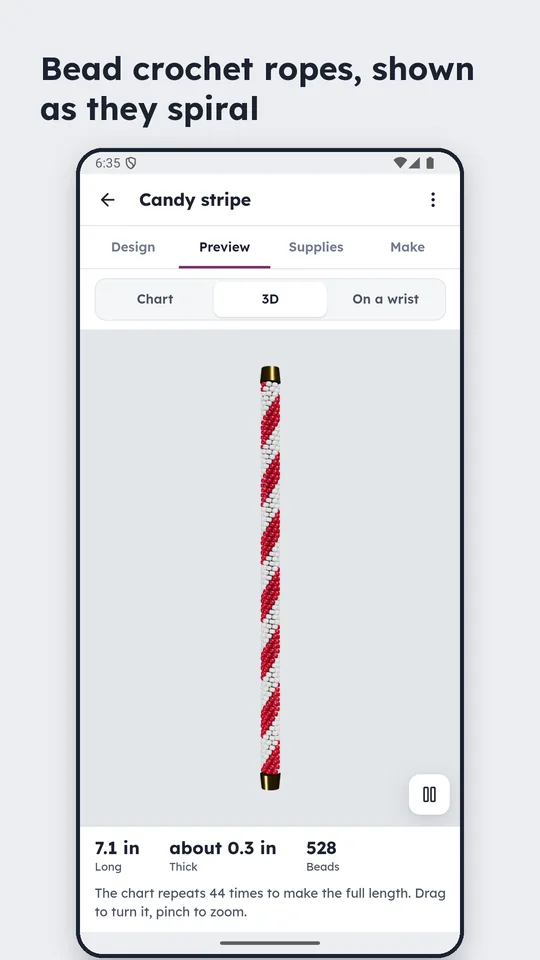
Every project moves through the same four steps, whichever craft it is.
- 1
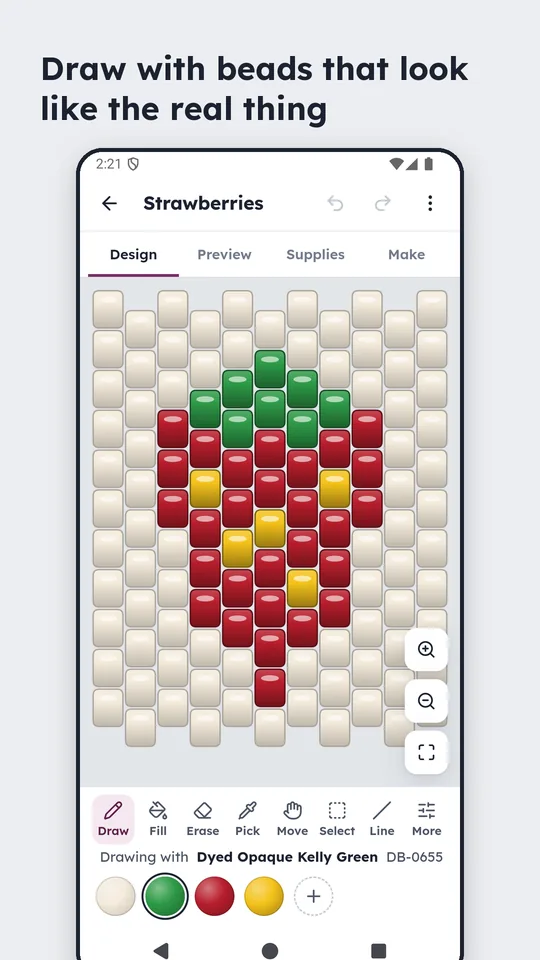
Design
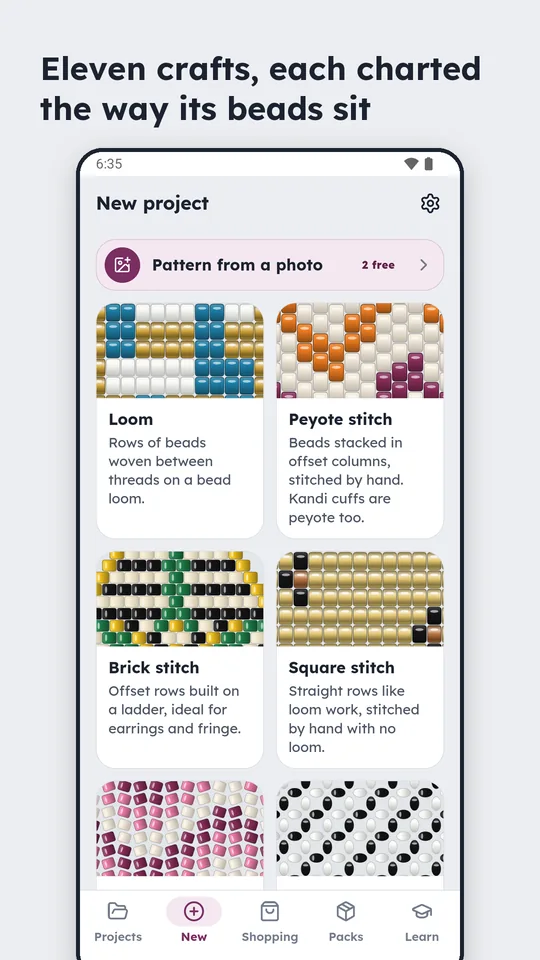
Draw on a chart that matches the craft: offset columns for peyote, offset rows for brick stitch and kumihimo, a half-bead spiral for bead crochet.
- 2
Preview
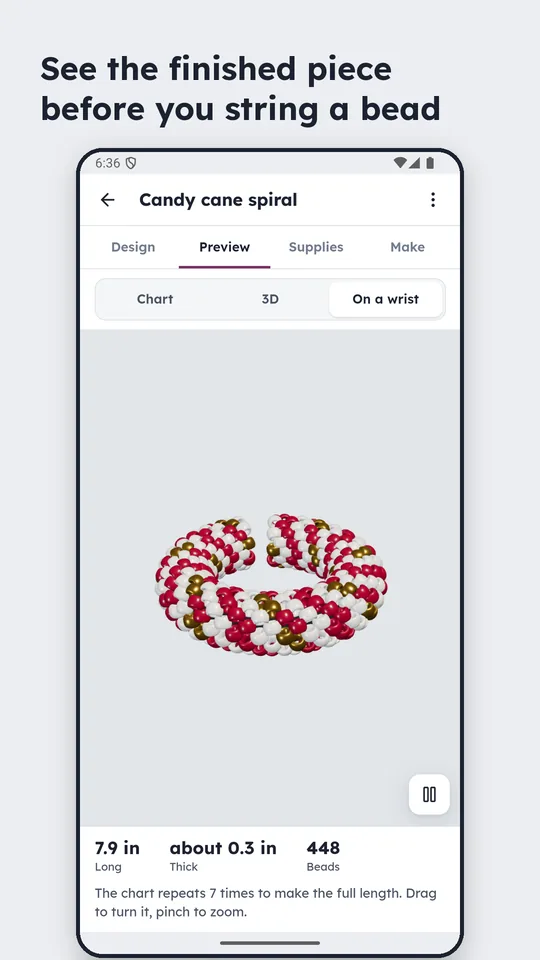
The finished piece flat, in 3D, or wrapped around a wrist, at its real size.
- 3
Supplies
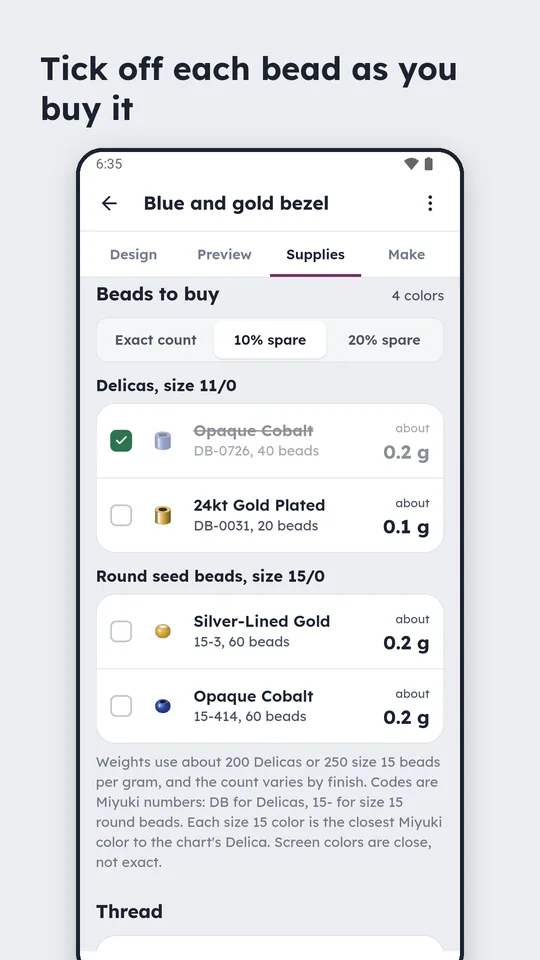
Bead counts and grams against real shop codes, Hama numbers and Perler color names for fuse beads, pegboard counts, thread and cord lengths, end caps, and a tools checklist.
- 4
Make
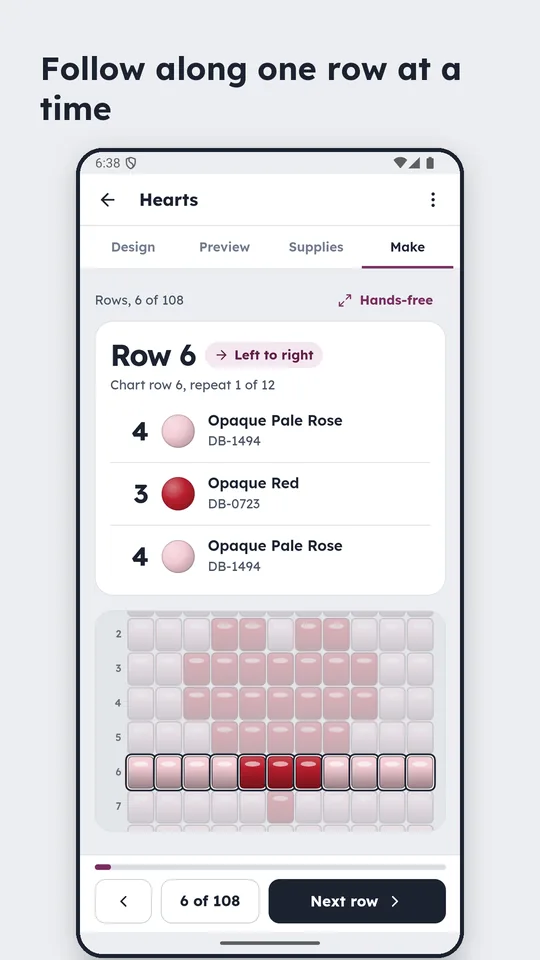
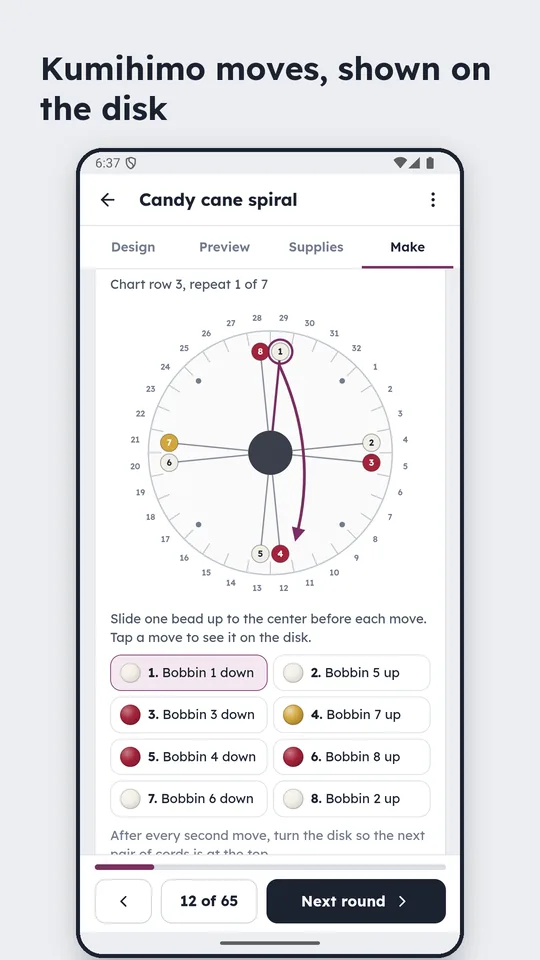
One row at a time: each row’s chart comes first, with the thread drawn through its beads stitch by stitch, then how many of each bead to pick up.
What it looks like in use.
The parts that took the longest.
- PrintingCharts print at true bead size or double, on Letter or A4, with row numbers, a color key with counts, and 1 in and 5 cm check bars. Long charts continue across pages, and a fuse-bead chart prints one pegboard to a page at true size. A Pro feature, free for the first three jobs.
- Free, with ProThe app is free: no account, and no ads or tracking of its own. Patterns stay on the phone, and everything works offline except the optional videos, which play from YouTube — so YouTube can show its own ads in them, which is why that line is no longer a flat “no ads”. Pro is a one-time $7.99 purchase rather than a subscription, $4.99 for the first sixty days after launch. It unlocks printing, hands-free mode, photo to pattern from your own pictures, the text tool and mirror drawing, drops the “Made with Bead Bench” line from anything shared, and adds 962 more patterns: the Designer collection’s 74 showpieces, nine of them drawn by hand, and eight themed packs of 111 — animals, winter holidays, Halloween, classic textiles, hearts, sports, spring and Easter, and summer. The packs come with Pro rather than being sold separately. Printing, hands-free mode, the text tool, mirror drawing and your own photos each work three times free first, and one pattern for every craft in the Designer collection and in each pack is free to try: 398 free patterns counting the 299 examples. The Pro patterns cover eleven of the twelve crafts, since two-hole peyote is new and has none of them yet. Dropping the “Made with Bead Bench” line needs Pro from the first share.
- Two levelsBeginner keeps the tools simple, with a first-time tour and a Learn page for every craft. Advanced adds selection, lines and boxes, fade fills, other bead sizes and peyote 2-drop; mirror drawing and the text tool are on both levels.
- Bead TVA tab of its own on Home: one list of hand-picked videos of real beaders, for every craft but two-hole peyote, which has none yet. Nothing connects until you agree on a consent card. On Wi-Fi, once you stop scrolling, the video nearest the middle plays without sound in YouTube’s own player — one at a time, for at most a minute, never on mobile data unless you allow it, never while Battery Saver is on, and only for a video YouTube marks as not made for kids. A switch at the top of the tab turns the previews off. The list is downloaded rather than shipped inside the app, because YouTube’s terms allow its data to be kept for thirty days without a refresh and a list baked into an installed app could be neither refreshed nor deleted. Each video’s Made for Kids status comes from YouTube, not typed in by hand: anything marked made for kids is not shown at all, and a video plays inside the app only once its status has been recorded; until then it opens in YouTube.
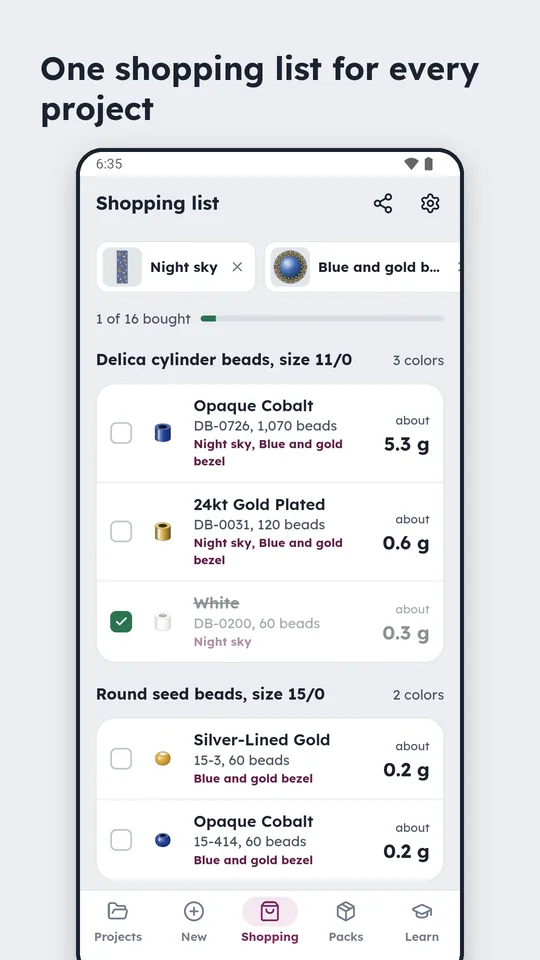
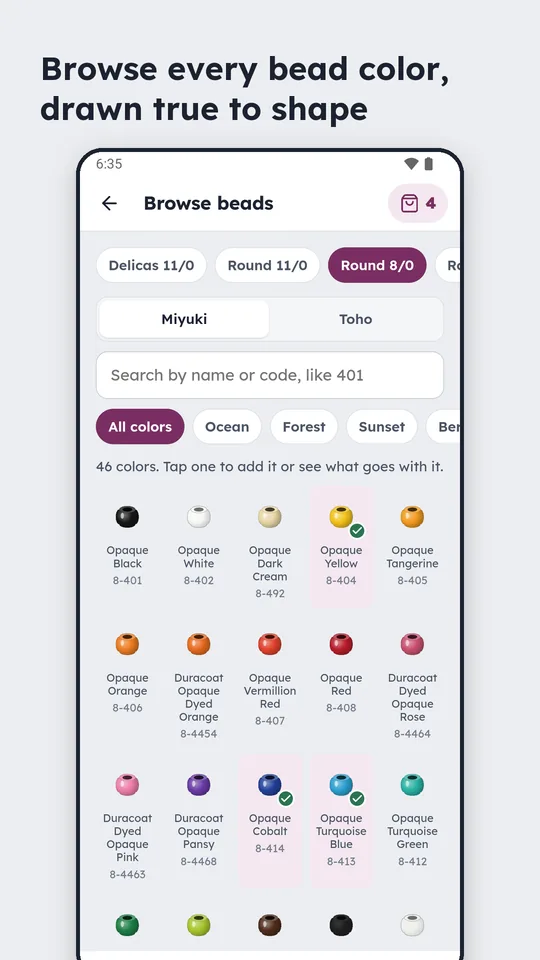
- Buying the beadsPut several projects on the shopping list, behind the cart at the top of Home, and the same beads are added up into one list, ticked off as you buy them. The number on the cart is how many lines are still to buy. Every color from a maker’s catalog carries its shop code (pony and Perler beads go by name), and the bead browser lists every color, narrowed by search or theme, shows what goes with one, and adds loose beads to a basket.
- 299 example patternsFrom simple stripes to detailed designs, free, with at least ten for every craft except two-hole peyote, which has six. Open one and change it rather than starting from an empty grid.
- Editing a chart, not redrawing itRows and columns can be inserted or deleted wherever you choose, and tapping a color trades it with another across the whole chart. A custom color takes a typed hex code.
- A second copyProjects are kept twice on the phone, so a bad write does not take the only copy of a pattern you have spent a week on.
- Drawing the threadFor the nine stitched crafts, each row’s step in Make shows that row on the chart first and draws the thread over it: along each bead’s hole, out of the bead it starts from, through each new bead and each bead already there that it passes. Play pulls it through the row; Next steps through it a stitch, bead or pass at a time, with a line saying what that step is, and beads the needle hasn’t picked up yet are greyed out. Those crafts now also open with how to start the thread and end with what to do with the ends. The stitch drawings and words were checked against published instructions and corrected for 1.0.12, among the fixes a peyote turn whose catch was drawn a bead too low; a few faults the checks found are still open. Kumihimo keeps its disk diagram, and bead crochet its stringing list.
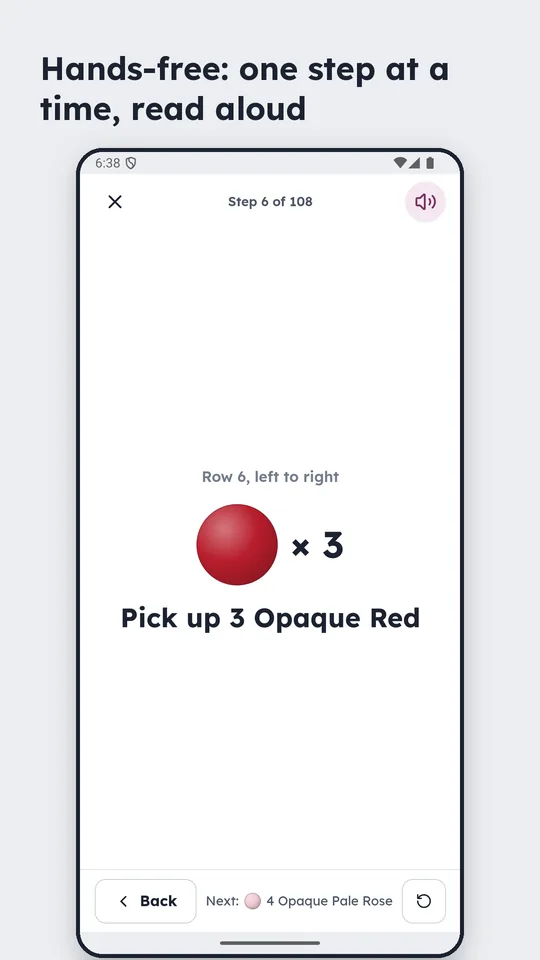
- Hands-freeOne instruction at a time in large type, read aloud, with the screen kept on. Also Pro, and also free for the first three.
- Sourced claimsEvery statement the app makes about a craft is recorded with its source, because the fastest way to lose a maker is to tell them something untrue about their own craft.
Made to be used at the table.
Beads are small, some colors are near enough identical, and a row takes as long as it takes. Every setting here is free, under Settings, Accessibility.
- Theme and textThe theme follows the phone unless you pin it Light or Dark, and the text follows the phone’s own font size up to twice normal, with the layout adapting as it grows.
- A letter on every beadOff until you switch it on. Colors that look alike — or look alike to color-blind eyes — carry a letter, so the chart can be read without relying on telling two shades apart.
- A closer lookA magnifier, on by default, with its own button beside the zoom buttons on the Design tab, so turning it off doesn’t mean a trip to Settings. While you draw it waits for your finger to rest in one place instead of appearing on every touch, then follows until you lift — moving restarts the wait, so pausing anywhere in a stroke brings it up. Touch and hold any chart to look closer.
- Screen readerWorks with TalkBack, Android’s screen reader.
- Less movementBead TV’s silent previews start switched off when TalkBack or Remove animations is on, and the switch at the top of the tab turns them off whenever you like. With Remove animations on, Make draws the thread at once instead of pulling it through.
- Voice commandsOff until you switch them on, and only then does the app ask for the microphone. Say “next”, “back”, “repeat”, “row 12” or “help” while you work a pattern. The phone hears them itself; nothing is recorded and nothing is sent.
Where it stands. 1.0.12 is built, signed and in closed testing on Google Play as com.jdcap.beads, ahead of a public release. Privacy policy.